What it can do
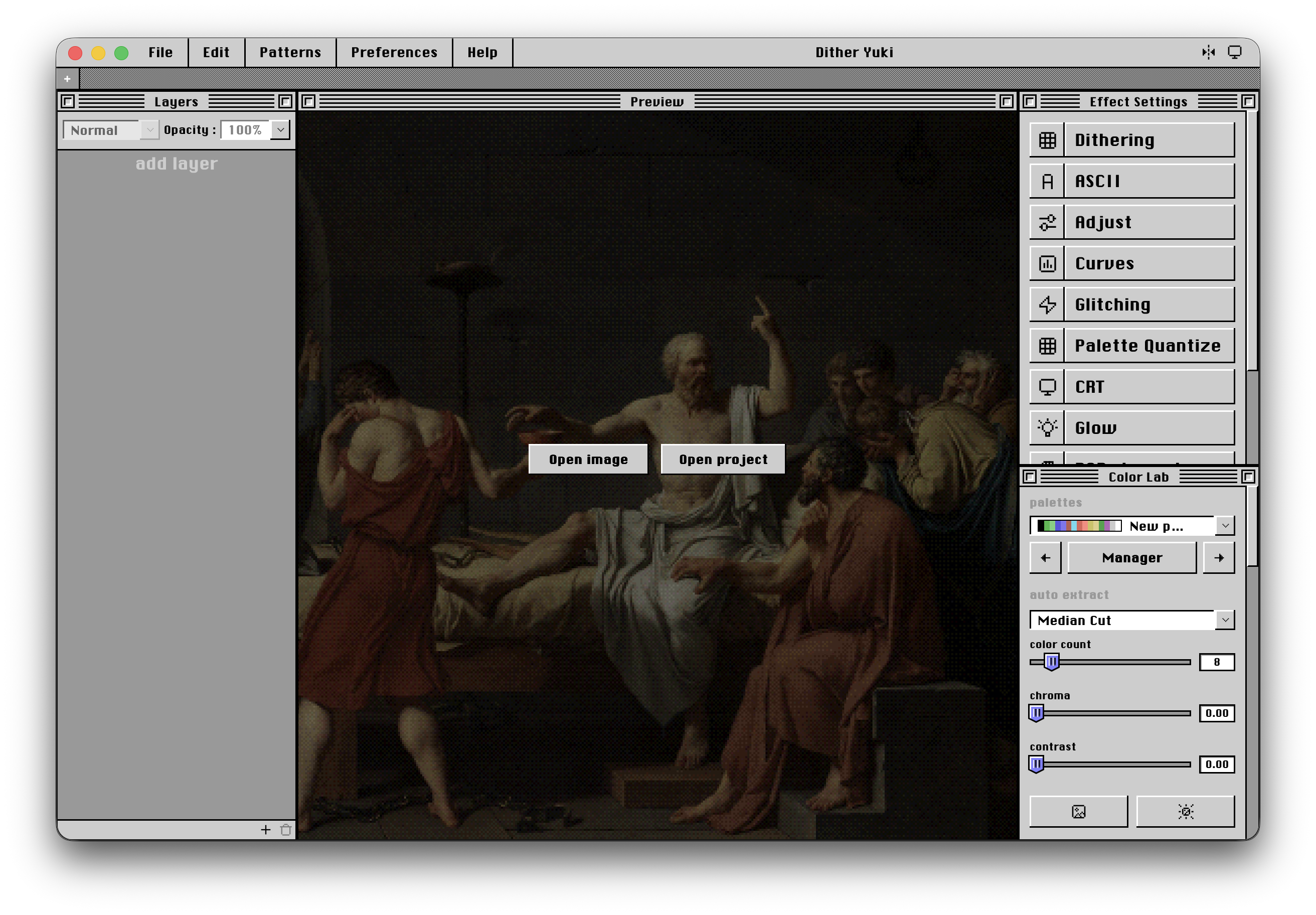
- Documents — multi-tab projects, Save As, recent files, crash recovery, and unsaved-change protection
- Import & Export — PNG, JPG, WEBP, BMP, TIFF, SVG, and ASCII export to TXT, ANSI, HTML, SVG, PNG, and JSON
- Layers — non-destructive effects, opacity, 12 blend modes, and undo/redo
- 35+ algorithms — Bayer, Floyd–Steinberg, Atkinson, Sierra, halftone, stipple, ASCII, CRT, Glitch, Glow, Curves, Riemersma, and more
- Color Lab — palette import/export, color quantization, harmonies, ramps, and multiple palette-generation modes
- Patterns — a .dyuki pattern library and manager
- Interface — flexible workspace layout, keyboard shortcuts, and in-app updates
Current limitations
Dither Yuki is still in beta, so some features are intentionally outside its scope. It is not a painting, printing, batch-processing, or video tool, and there is currently no Linux version.
Some algorithms also have implementation limitations. Error-diffusion methods currently run on CPU, while ASCII and Riemersma operate on the full document rather than progressive tiles.
The idea
Dither Yuki is built around a simple idea: a dedicated space for experimenting with dithering, palettes, and digital image processing without turning the workflow into a complicated production suite.
What's next
Dither Yuki is still evolving, and there is a lot more planned for the future.
Right now, my main goal is to raise enough support for an Apple Developer Program membership. This will make it easier to distribute Dither Yuki on macOS and provide a smoother installation experience without unnecessary security warnings.
After that, I want to keep improving the existing tools and expand what Dither Yuki can do.
Planned features include:
- Video and animation support
- CMYK and improved color management
- More dithering algorithms and effects
- Expanded palette and pattern tools
- Performance improvements
- Better cross-platform support
- And much more
The goal is to keep growing Dither Yuki while preserving its main idea: a simple space to experiment, create, and play with images.